Focus on Code, Not on Monitoring Dependencies
Stop wasting time checking if Stripe is down or GitHub is having issues. Get to know when your dependencies fail so you can focus on what matters - building great software and happy customers.
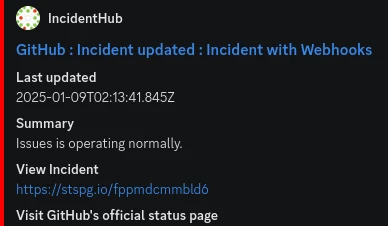
Features
Streamline Third-Party Monitoring to Free Engineering Time
No more manually checking status pages or social media to check if GitHub, DockerHub, Stripe, or Railway is down.
Stop checking multiple third-party status pages manually. Everything on a single status page.
Push all status page alerts to Discord, Slack, Email or to a custom dashboard with webhooks.
Reduce developer context switching.
Stop wasting engineering resources on issue triage.
Rich context in each alert - stop guessing.
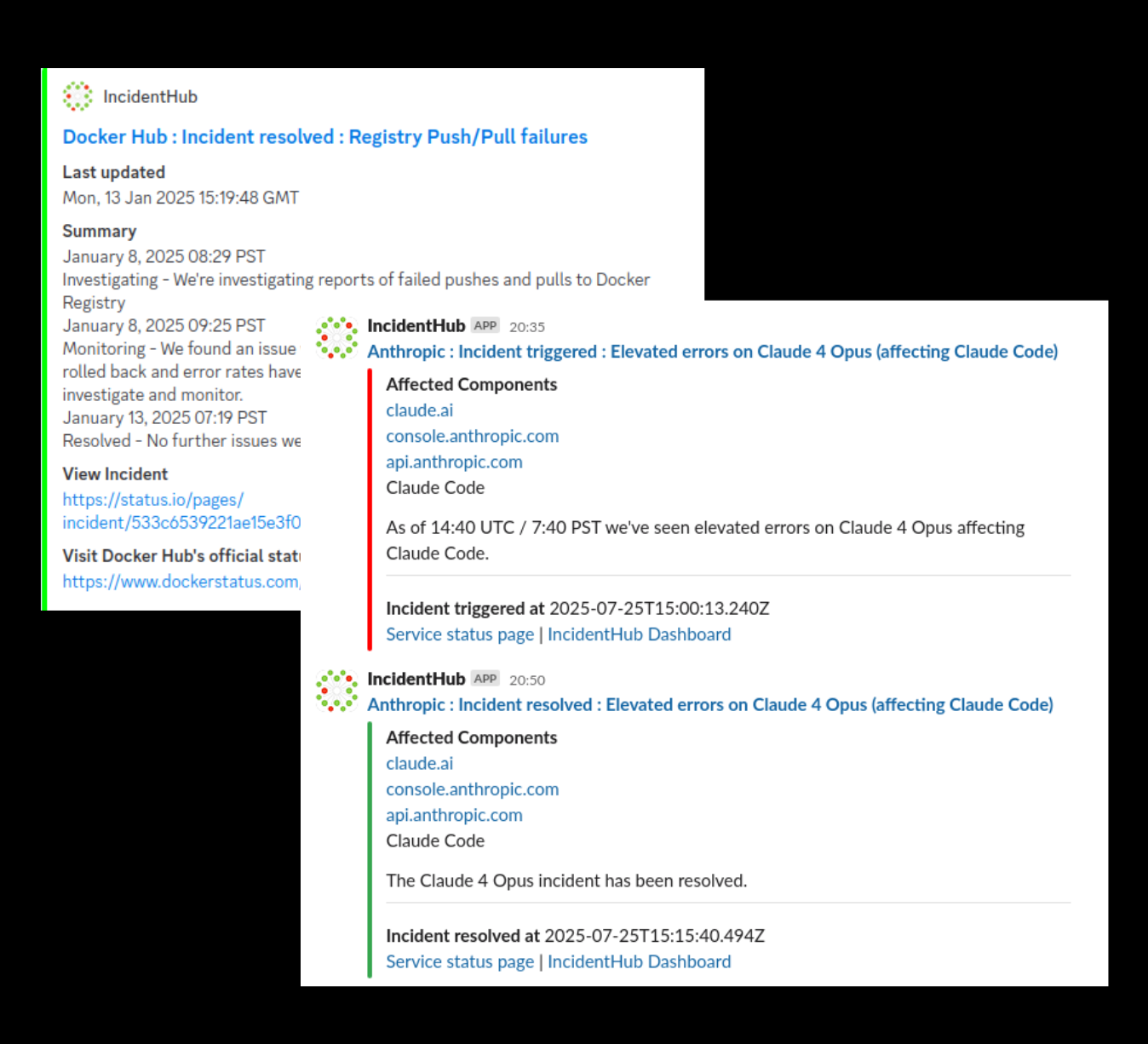
Improve Incident Management With Faster Triage
Fine-tune your alerts per service to reduce noise and know exactly something is down and back up.
Get real-time consolidated alerts about third-party service statuses.
Stop noisy alerts or worse, no alerts, from manual status page subscriptions.
Eliminate blind spots. Standard monitoring tools do not cover external dependencies.
Stop relying on unreliable glue scripts to push status page updates to your team channels.
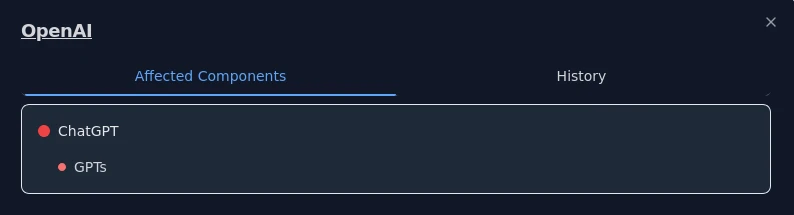
Enhance Customer Trust With Timely Communication
Proactively communicate with customers when external incidents impact your services.
Stay on top of third-party outages affecting your services.
Customers appreciate honesty - built trust with your customers.
Have data-driven conversations about outages outside your control.
Reduce escalations and customer support costs.
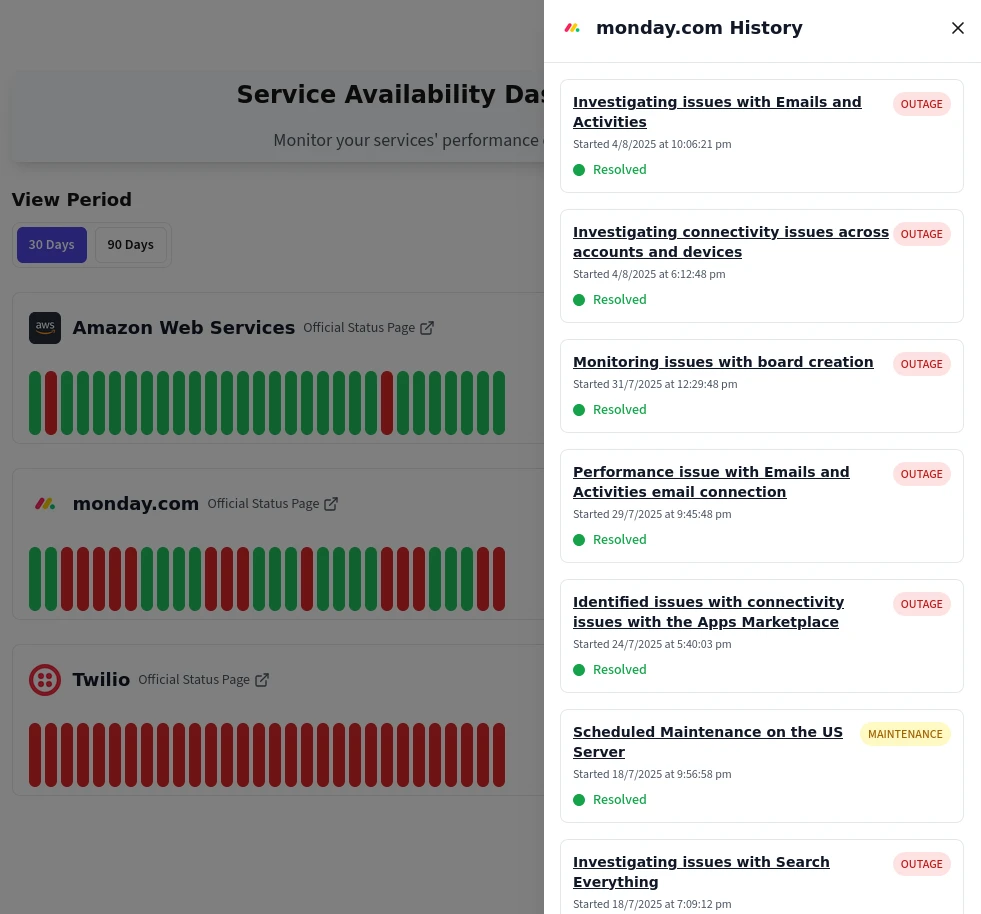
Track Outages for Everything
Track outages for everything your engineering team uses
Cloud Providers
Track infrastructure and cloud service availability
- Amazon Web Services
- Google Cloud Platform
- Microsoft Azure
- DigitalOcean
- Linode
- More...
CI/CD and Software Delivery Pipelines
Monitor your deployment and integration pipelines
- GitHub Actions
- Jenkins
- CircleCI
- GitLab CI
- Travis CI
- More...
Hosted Databases
Monitor the availability of your hosted data systems
- MongoDB Atlas
- AWS RDS
- PlanetScale
- Supabase
- Render PostgreSQL
- Aiven
- More...
LLMs and AI Assistants
Monitor which of your LLM providers have issues
- OpenAI
- Anthropic
- Cursor
- Hugging Face
- Google Gemini
- More...
Artifact Repositories
Monitor your artifact and package repositories
- Docker Hub
- Google Container Registry
- RedHat
- GitHub
- npmjs
- More...
CDN & DNS
Track content delivery and domain resolution services
- Cloudflare
- AWS CloudFront
- Fastly
- Akamai
- Cloudflare CDN
- More...
Team Communication
Monitor your team communication stack
- Slack
- Discord
- Microsoft Teams
- Google Chat
- Zoom
- More...
Source Control
Keep track of your code hosting platforms
- GitHub
- GitLab
- Bitbucket
- GitHub Enterprise
- More...
Payment Gateways
Monitor payment processing services that handle your revenue
- Stripe
- PayPal
- Paddle
- Cash App
- USAePay
- More...
Auth And Identity Management
Monitor your auth and identity management stack
- Auth0
- Okta
- Clerk
- OneLogin
- More...
Still Have Concerns?
We get it. Adding another tool to your stack is a big decision. Here's how we address the most common concerns.
! Your Concern | ✓ How IncidentHub Addresses It |
|---|---|
"I'll get too many alerts and ignore them all" Alert fatigue is real. Nobody wants to be flooded with notifications. | Smart filtering Only get notified for services you actually use. Filter components/regions per service. Turn on/off maintenance alerts, outage alerts, or both for a service. Filter start/end/full lifecycle alerts per service. Watch theVideo tutorial. |
"I do not want any alerts at all" I want to monitor my third-party services but do not want any alerts. | Public status page A public status page with a summary of all your service statuses is automatically created for you on a dedicated subdomain. Display it on a large screen where everyone can see it, or pin it to your team communication channels. Watch theVideo tutorial. |
"This will take forever to set up properly" Some monitoring tools can take weeks to configure correctly. | See results in 2 minutes Add your services with components and you are done. Configure Slack/Discord/Email/MSTeams/PagerDuty/Webhooks if you want alerts. Watch theVideo tutorial. |
"I want a white-labeled status page" I want a status page that is branded with my company's logo and colors on my own domain. | Complete customization You can brand your status page with your own logo, title, and footer. You can host it on your own domain and password protect it to prevent unauthorized access. |
"How accurate is your alerting?" A monitoring system should be timely and accurate. | Real-time notifications IncidentHub monitors status pages, RSS feeds, APIs, and webhooks periodically and sends alerts as soon as it detects an outage or maintenance. |
"I have different teams with different alerting needs/vendors." Your teams have different alerting needs/vendors. | IncidentHub Teams IncidentHub Teams help you to manage different sets of monitored services, alert filtering settings, historical trends, notification channels, and status pages independently of each other. All within the admin boundaries of a single IncidentHub account. |
"I don't want another service accessing my data" Privacy and security are important. | Minimal access to your systems, code, or data We monitor public status pages. No code access, no personal data. If you integrate Slack, Discord, Email, etc or have private status page ingestion, we store your tokens/email address in an encrypted database. Private status ingestion uses read-only access. |
"Is it worth the money?" SaaS costs can add up quickly. | Free trial - no credit card required Start with a no-risk, no-obligation, 14-day free trial. Our paid plans start at just $35/month. You get 2 months free if you pay annually. Your ROI? Save 2 hours of debugging and the plan pays for itself. |
Try it risk-free.Join 600+ teams that trust IncidentHub. Start Free TrialNo credit card required Contact Us | |